











the stickers that stick
inside your Mac
any photo you love, cut out and stuck on your desktop

p.s. stickers may appear larger on this website
 free to use, no time limit
$6.99 once, to unlock everything
three tiny steps
choose a photo
a pet, a friend, an idol, even a doodle.
place your sticker
put it anywhere on your desktop.
leave a little note
each sticker keeps its own notes. click once to open; click again to tuck them away.
this is the actual app
swap in a new favourite whenever you like
sometimes your sticker has something to say
right-click your sticker to change its photo
or find every setting in your menu bar
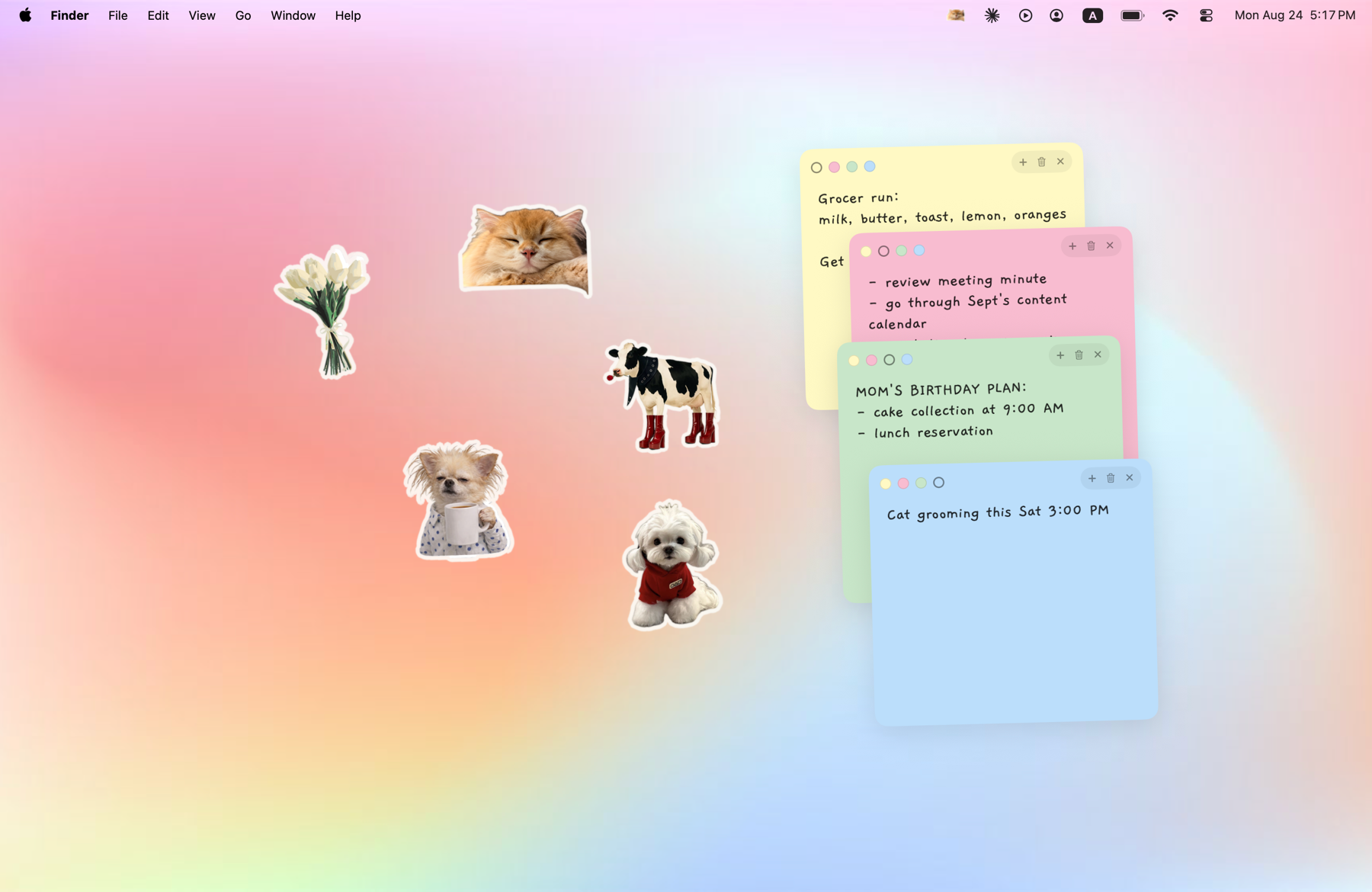
fill your desktop with the people, pets and little things you love
one payment, yours forever
- one sticker on your desktop
- two sticky notes
- one note colour
- one font style
- keep five stickers, not one
- more notes on your desktop
- all four colours, all five font styles
- customise what your stickers say
tiny questions, answered
any photo works! your people, your plants, your favourite things, even a drawing you scanned in. if there's a clear subject in the picture, Tiny Boop will happily cut it out for you.
they stay right here on your Mac. Tiny Boop does everything on your device, so nothing is ever uploaded. we don't keep your photos or notes, and we never see them. they're all yours.
no, it's a one-time payment. pay once and everything's unlocked for good, on every Mac signed in to your Apple Account. and with Family Sharing, your whole family gets it too.
it's made to stay out of your way. Tiny Boop has no Dock icon and lives quietly in your menu bar, and your sticker can sit behind your windows, so it only peeks out when your desktop is showing.
any Mac running macOS 14 Sonoma or later. that's all it needs!
get your first desktop sticker
choose a photo you love and keep it close on your desktop. the free version is yours to keep.
free to use, no time limit$6.99 once, to unlock everything
need a little help?
write to support@tinyboop.lfmlabs.com and you'll hear back
from a real person, usually within a couple of days.
it helps to include your macOS version and what you were doing when it went wrong.
or read the support page first — it covers restoring
your purchase, hidden stickers, and starting over.